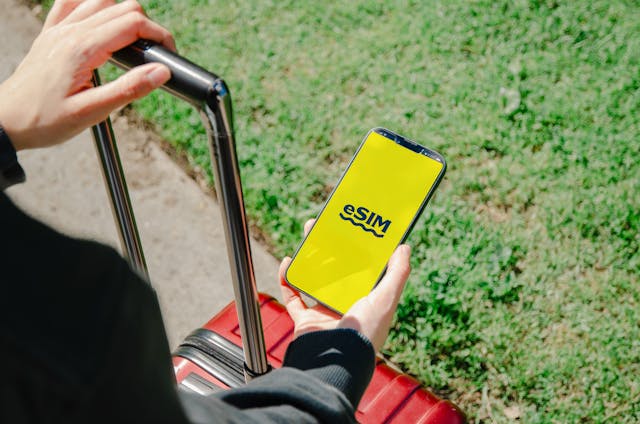
Over 2 billion eSIM-capable devices are active worldwide as of 2025, yet most travelers still overpay for international connectivity through carrier roaming plans or waste time hunting for a local SIM card on arrival. The eSIM market has matured enough that switching to a travel eSIM before your next trip is now a straightforward decision. This guide covers how eSIMs work, what to look for, and how to set one up on your device.
What Is an eSIM and How Does It Work?
An eSIM, or embedded SIM, is a digital SIM card built directly into your device’s hardware. Instead of inserting a physical chip, you activate a carrier profile by scanning a QR code or downloading a profile through an app. The profile stores your subscriber data and connects your device to a local network, exactly like a physical SIM, but without any physical swap required.
Most modern devices support eSIM. This includes all iPhone models from the XS onward, Google Pixel 3 and later, Samsung Galaxy S20 and later, and most current Windows laptops and Android flagships. If you are unsure whether your device supports eSIM, check Settings > General > About on iPhone, or Settings > Connections > SIM Manager on Android.
One important prerequisite: your device must be carrier-unlocked to use a third-party eSIM. Most US carriers unlock devices automatically after the contract period ends. You can request an unlock through your carrier’s website or customer service line. For more practical advice on getting the most out of your devices, this guide on tech that works for you in the real world covers everyday tips that apply well beyond eSIM setup.
Why a Travel eSIM Beats Roaming Plans
US carrier international roaming plans typically charge between $10 and $25 per day for data access abroad. On a two-week trip, that adds up to $140 to $350 in roaming fees before you account for calls or texts. Performance can also be inconsistent since your US carrier is partnering with a local network rather than offering a native connection.
A travel eSIM from a dedicated provider offers a flat-rate data plan purchased before departure. You activate it from home, switch it on when you land, and pay a fixed amount regardless of how much you use. No daily fees, no surprise charges on your monthly bill.
For travelers moving between multiple countries on a single trip, some eSIM providers offer multi-country plans that cover entire regions, eliminating the need to purchase a separate plan for each destination.
What to Look for in a Travel eSIM
Not all travel eSIMs are equal. These are the factors that matter most for US travelers.
Coverage is the first filter. Verify that the provider covers every country on your itinerary, not just the headline destinations. Coverage maps are available on most providers’ websites and are worth checking against your specific route.
Data type matters more than most travelers realize. Some travel eSIMs offer capped data plans, meaning your connection slows to near-unusable speeds after you hit a threshold. Others offer genuinely unlimited data at full speed for the duration of the plan. For business travelers or anyone relying on video calls, navigation, and document access, unlimited data is worth the premium.
Activation method should be straightforward. The best providers support QR code activation that takes under five minutes. Avoid providers that require extended support interactions or app-only activation processes that can break if the app has a bug.
Customer support availability is underrated. If your eSIM fails to connect on arrival at a foreign airport, you need support that responds quickly. Look for providers with 24/7 live chat rather than email-only support.
How to Set Up a Travel eSIM on iPhone
Setting up an eSIM on iPhone is a four-step process that takes under five minutes.
First, purchase your eSIM plan from your chosen provider. You will receive a QR code via email or within the provider’s app. Second, go to Settings > Cellular > Add eSIM on your iPhone. Third, select “Use QR Code” and scan the code from your purchase confirmation. Fourth, follow the on-screen prompts to label the plan and set your data preferences.
Once activated, you can switch between your primary US SIM and the travel eSIM from Settings > Cellular. Set the travel eSIM as your primary data line and keep your US SIM active for calls and texts. This dual-SIM setup lets you maintain your US number while using local data rates.
How to Set Up a Travel eSIM on Android
The process is similar on Android but varies slightly by manufacturer.
On Samsung: Settings > Connections > SIM Manager > Add eSIM. On Google Pixel: Settings > Network & Internet > SIMs > Add eSIM. On other Android devices, look for SIM or eSIM settings within the Network or Connections menu.
Once you locate the eSIM setup option, scan the QR code from your provider and follow the activation prompts. Android devices also support dual-SIM operation, allowing you to keep your US number active while routing data through the travel eSIM.
Choosing a Reliable eSIM Provider
Several providers compete in the US travel eSIM market. The most important differentiators are coverage breadth, data quality, and support responsiveness. For travelers who want straightforward unlimited data coverage across a wide range of destinations, Holafly’s website offers plans covering over 200 countries with unlimited data and 24/7 live chat support, which makes it one of the more practical options for US travelers who want reliability without complexity.
Best eSIM for Travel FAQs
Can I use an eSIM and my regular SIM at the same time? Yes, on most modern smartphones. This is called Dual SIM mode. You can assign your US number to your physical SIM and use the eSIM for local data, keeping both active simultaneously.
How early should I activate my travel eSIM? Purchase and install the eSIM before you leave home, but most providers allow you to delay activation until you arrive at your destination. Check your provider’s activation window, which typically ranges from 30 to 90 days after purchase.
Will my eSIM work in airplane mode? No. eSIMs require cellular network connectivity to function. However, you can pre-download maps, documents, and content before your flight for offline access during the journey.
Can I reuse a travel eSIM on my next trip? It depends on the provider. Some eSIM profiles can be topped up or extended. Others are single-use. Check the provider’s terms before purchasing if reusability matters to you.
Does using an eSIM affect my phone’s warranty? No. eSIM activation is a standard carrier function supported by the device manufacturer. It does not affect your warranty in any way.
Leave a Reply